Quick Settings tile
Add the Memory Notch tile to Quick Settings and start recording with one tap.
 memory notch
In your language, on any Android.
All downloadsFree to download · Requires Android 12 or newer
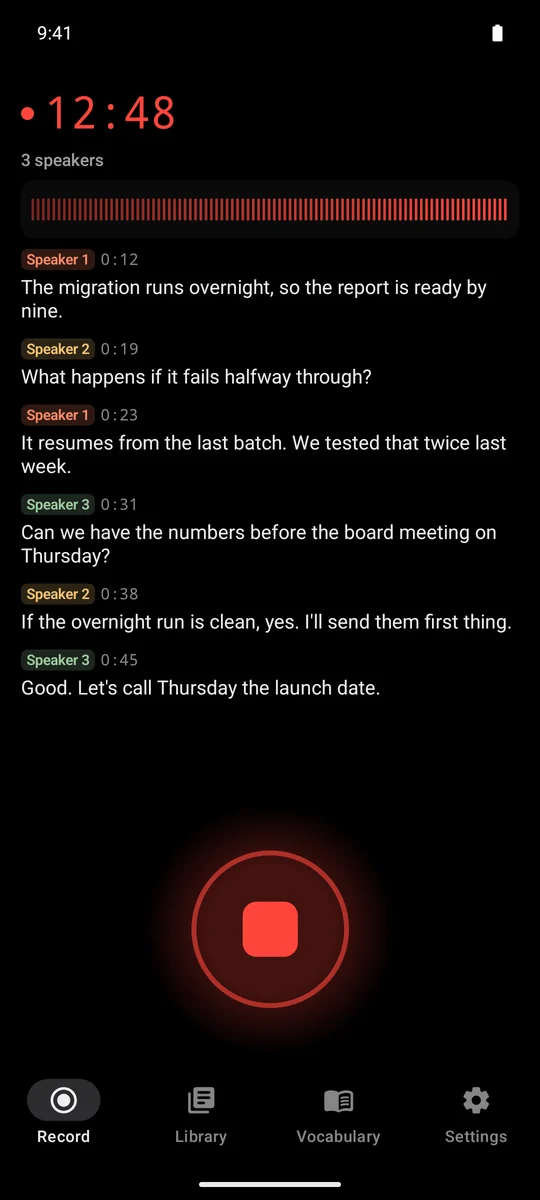
The app’s own screens · fictional sample meeting
Frontier speech models, running offline on your device. Nothing is uploaded.
While you record, the notification shows the timer and the latest line, with Stop one tap away. In the app, a strip above the tabs does the same from every screen.
Add the Memory Notch tile to Quick Settings and start recording with one tap.
Put the Record widget on your home screen.
Press and hold the app icon and choose Record.
Transcription runs while you record. On phones with less than 8 GB of memory, it’s made right after you press Stop.
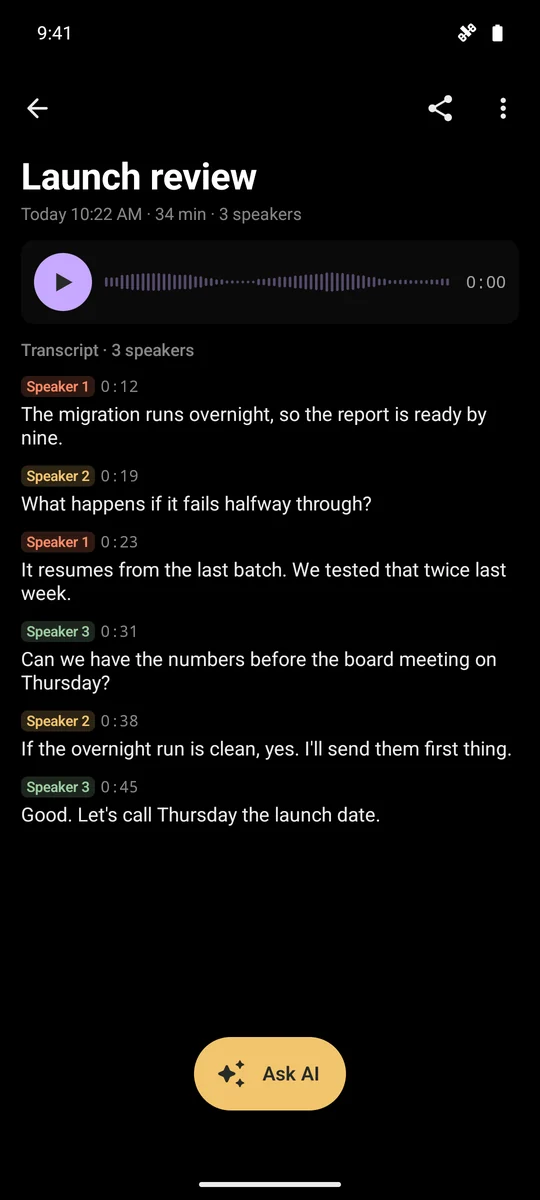
Speakers are labelled as they talk: Speaker 1, Speaker 2.
Re-transcribe a saved recording more carefully.
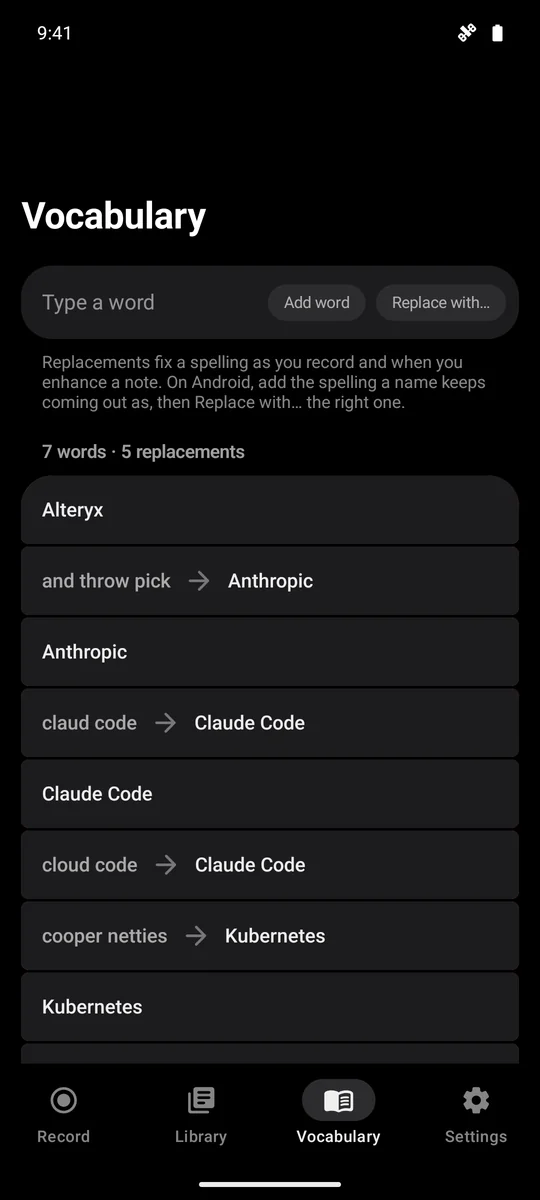
Tell it how a name comes out and how it should be spelled, and it’s written right as you record and when you enhance.
Every line keeps its time. Tap one and the audio plays from there.
Memory Notch has no internet access: recording and transcription happen on your phone, and nothing is uploaded. There is no account to make.
Recording, transcription and speaker labels run on the phone. No meeting bot, no sign-in, no analytics, no ads.
How we handle your data The purchase goes through the Google Play app, which Google handles.Every recording is saved as audio and a Markdown note. Ask AI sends a note to Claude, ChatGPT or any other app through the Android share sheet. If you send it to a cloud service, that service’s data policy applies.
Using notes with AINo subscription. Your recordings are always yours.
Everything captured is saved, even when the five minutes run out. Your first two longer recordings run to the end, so you can try it on a real meeting.
Unlock it from Settings, or after a free recording runs past five minutes.
Good to know before the meeting, not during it.
Memory Notch doesn’t record phone calls or other apps’ audio. Use it for meetings in the room or on speaker.
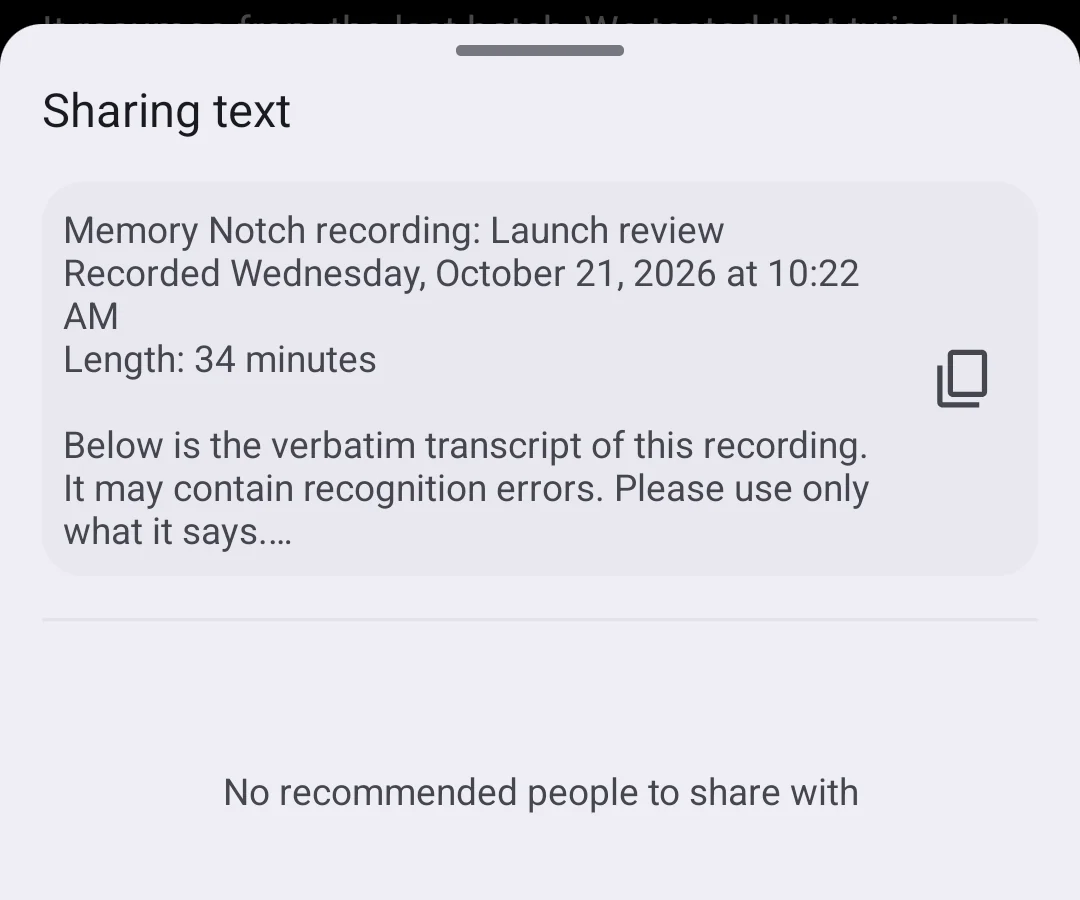
There are no automatic summaries. When you want one, Ask AI hands the note to the app you choose.
Speakers are numbered, not named: Speaker 1, Speaker 2.
Memory Notch for Android is on Google Play. It is free to download and needs Android 12 or newer.
It needs Android 12 or newer and about 1.6 GB of free storage; the speech models come with the install, and the app unpacks them once, the first time you open it. Live transcription needs 8 GB of RAM or more. On phones with less memory, Memory Notch records normally and makes the transcript after you press Stop.
Yes. The app has no internet permission at all. Recording, transcription and speaker labels run on your phone, and nothing is uploaded. There is no account to make; the purchase goes through the Google Play app.
It is free to download. Free recordings last up to five minutes, and everything captured is saved; your first two longer recordings run to the end. A one-time in-app purchase removes the limit: US$5.99 in the US, and Google Play shows the price for your country. There is no subscription. It is bought separately from the Mac and Windows licence and the iPhone app.
No. Memory Notch doesn’t record phone calls or other apps’ audio. Use it for meetings in the room or on speaker.
Yes, when you choose to. Ask AI sends a note to Claude, ChatGPT or any other app through the Android share sheet. Memory Notch sends nothing itself. If you send a note to a cloud service, that service’s data policy applies.
On your phone, in the app’s own storage. Each recording is saved as audio and a Markdown note, and Share sends either to any app you choose.
Requires Android 12 or newer
 Memory Notch · Recording12:51